

Harsh Singh
Product Designer









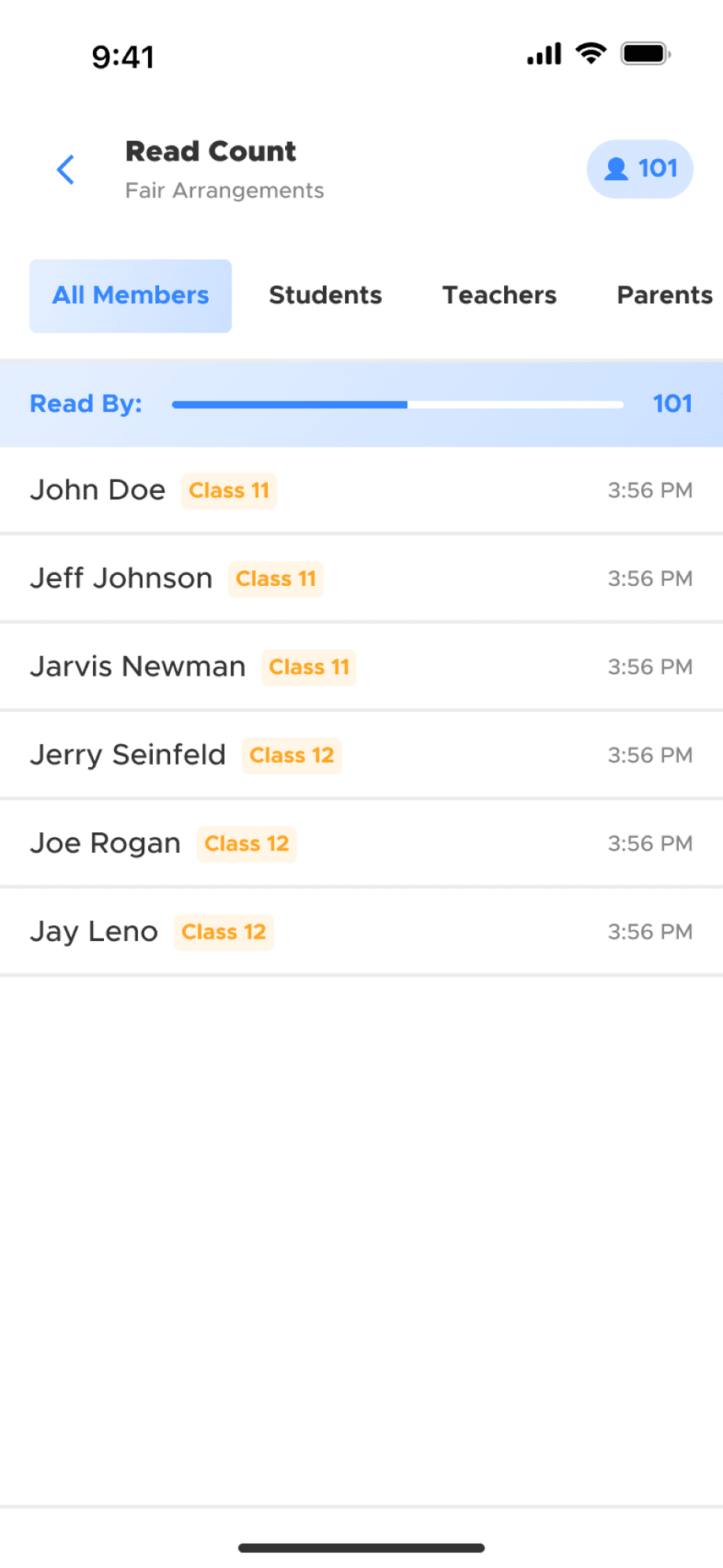


Appbrew
the Big Picture
What Appbrew Does
For an e-commerce Brand using Shopify, Appbrew builds a mobile app, adding another sales channel.

Appbrew
the Big Picture
How App & Product Relate
An app is built & maintained at Appbrewin 2 distinct stages.

Appbrew
the Big Picture
Who are the Users
Primary users in a Shopify brand.
decision makers
founders
brand managers
digital marketers
task executioners
shopify developers
marketing designers
focus areas
increase revenue & build loyalty
maintain identity & web parity
manage integrations
Harsh Singh
My Role
Understand the core user problem.
Design the most optimal solution.
Co-Founder (CTO)
Product Roadmap
Tech Architecture
Product Manager
Problem Scoping
Customer Research
Product Designer
Solution Scoping
Final Design
3x Engineers
Development
Harsh Singh
Case Studies
Design workflows for 200+ brands
More autonomy on app content
Save time & increase revenue
Questions
My History
Appbrew
My Role
A/B Tests
How brands measure what content
converts best with their app users.



Product in Focus
What's Relevant for this Project
A/B Test sits in the Design section, where users manage content for their app.
Design Section
Pages Panel
Blocks Panel
Edit Panel


Outlining the Problem
What Users want to Achieve
Brands want to test which content converts or sells better on key pages of the app shopping journey.
product discovery
what content leads to more product exploration
high-value products
what content leads to higher order amounts
creative & messaging
what content triggers buying intent over browsing
sales & events
what content sells more – pushing sales or brand building
cross-sell / upsell
what content better pads orders with related products
notifications
what content prompts higher interest to purchase
prominent blocks
what CTA or search layouts lead to more actions
review prompts
when review prompts lead to more & better feedback
loyalty benefits
what & where loyalty benefits lead to higher revenue
Outlining the Problem
How it Worked before Design
Users were able to test some app areas, by using hacks outside the product and applying the result on the product later.

Outlining the Problem
What Problems are in Focus
Problem
Workarounds don't provide accurate or concrete results.
Problem
3rd party tools can test limited items & add to the cost.
Mapping the Solution
How Problems were Addressed
Let users test natively any content they create / edit directly on the product.
Test Scope
Test Content Scope
Test Metrics


Mapping the Solution
What are the Targets & Constraints
Phase-I
Solution
Allow users to create A/B tests against content block & pages.
Solution
One key metric to define test winner, with other relevant metrics for context.
Constraint
Can't deviate from app framework, like testing app layout variations.
Constraint
Time limited for essentials only, like 2 test variants & limited active test editing.
Constraint
Low bandwidth for advanced metrics, like audience funnels or AI analysis.
Constraint
Project launched under legacy design system (updated design system used here).
Crafting the Interface
Access to A/B Tests
The scope of testing led to 2 distinct, yet similar, access points for blocks & pages.
Block Editing Panel
Page Editing Panel


Crafting the Interface
Creating a Test (Approach)
Creating has high scope of friction due to many inputs required. I tackled this mainly by disclosing controls in layers & steps.
ITR-Drafted
ITR-Shipped


Crafting the Interface
Creating a Test (Steps)
The test details & parameters are the same for both page & block tests, except content editing for each.
Test Details
Block / Page Variants
Test Parameters
Test Schedule


Crafting the Interface
Creating a Test (Variants)
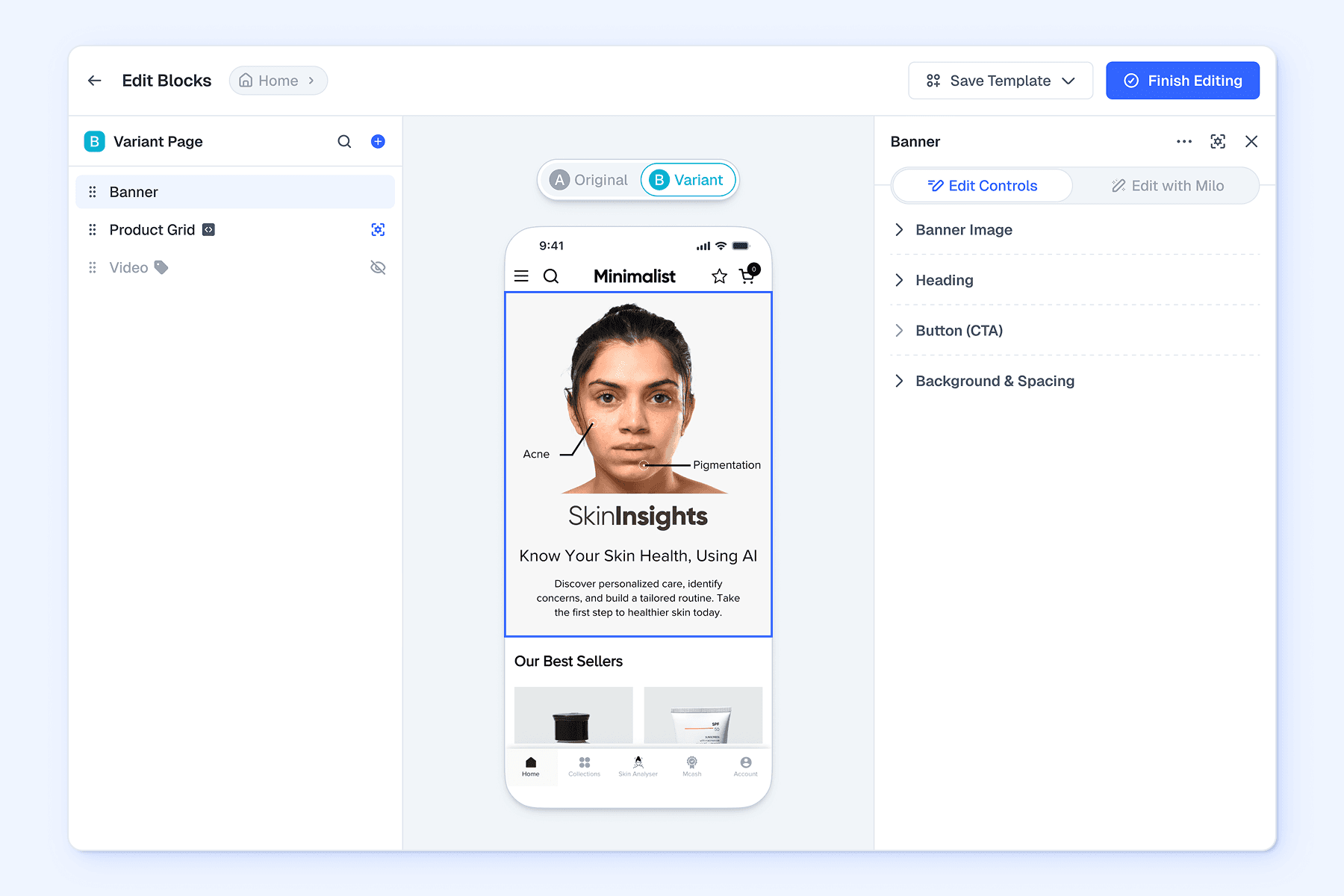
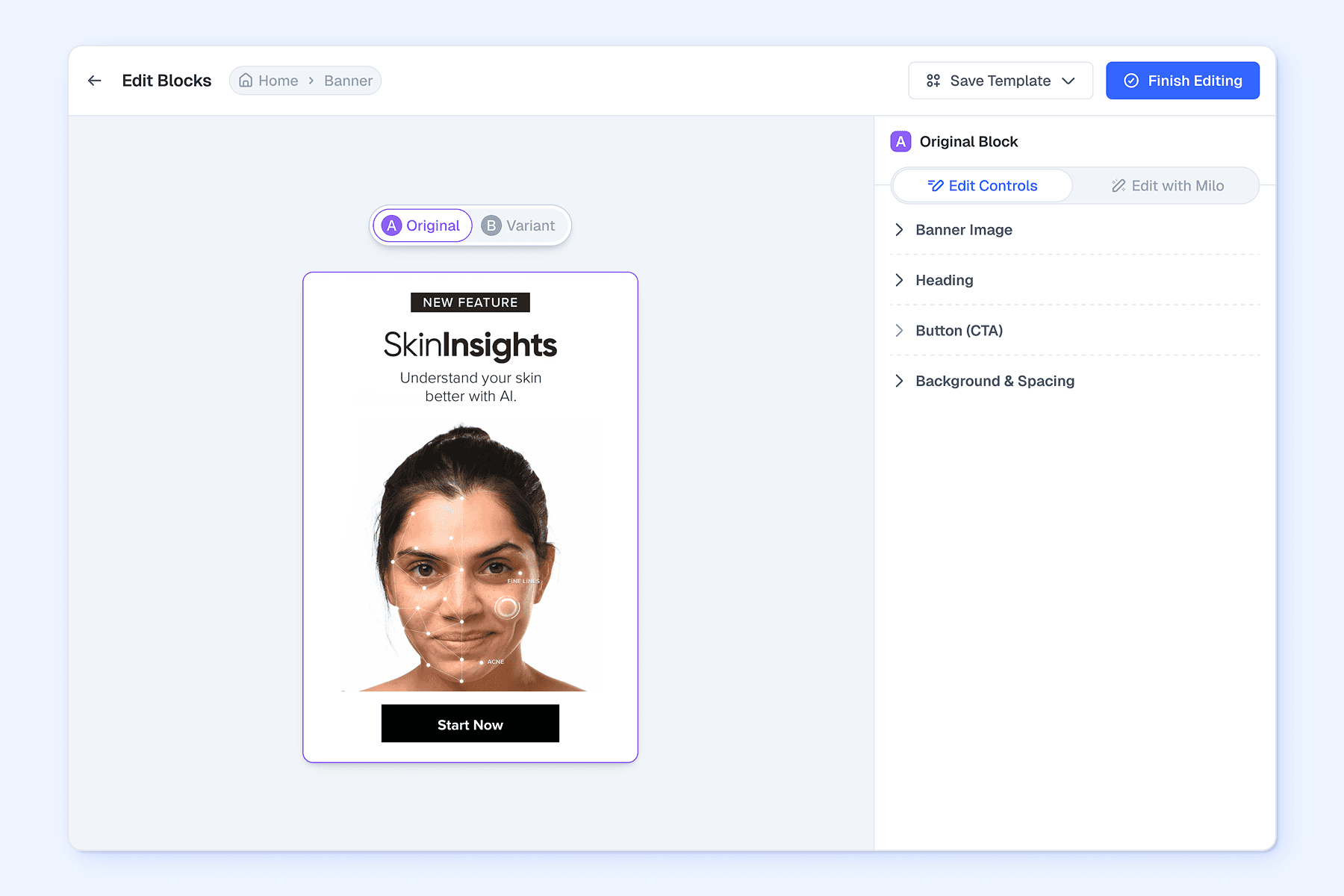
Controls for editing a page or block variant differ based on the editing scope of each.
Creating Variants
Block Variant
Page Variant

Crafting the Interface
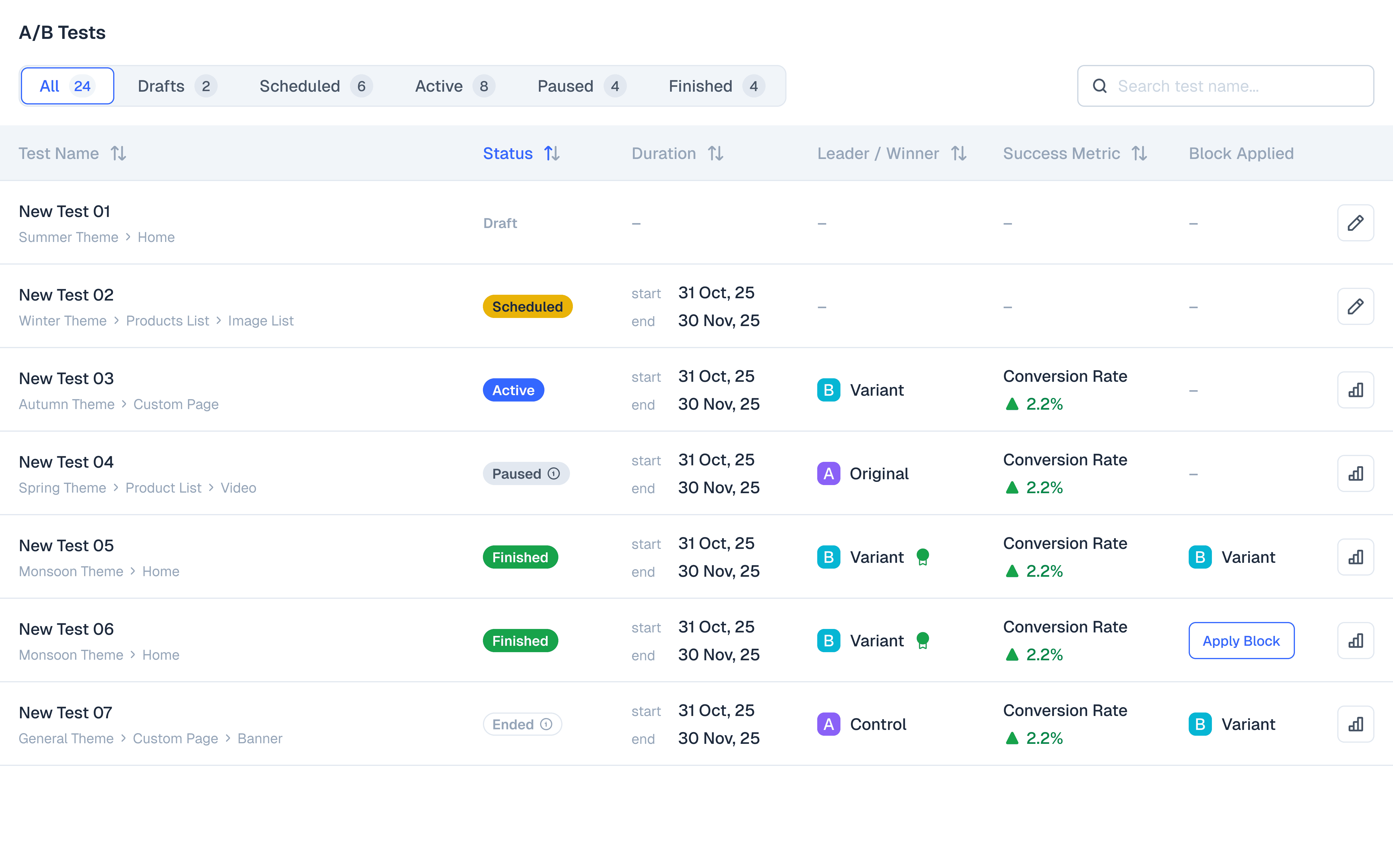
Test Statuses
After creating, a test can go through various stages, as outlined on the same panel where tests are accessed.
ITR-1
ITR-2
ITR-Shipped


Crafting the Interface
Tracking Performance
The simpler test panel opens the full modal with all info, controls & test details.
ITR-1
ITR-2
ITR-Shipped (Performance)
ITR-Shipped (Settings)


Crafting the Interface
Test History
This is a permanent record of all tests created on any theme, page or block, tracking all past test decisions.

the Aftermath
What Changed
Outcome
Brands report testing as a useful way to optimise revenue & conversion on key areas.
Outcome
Brands report usefulness in optimizing content during promotions.
Outcome
Higher interest from prospective enterprise customers.
the Aftermath
What to Improve Next
Up Next
Expand scope to themes, product content, notifications & audience targeting.
Up Next
Expand parameters to creating more than 2 variants & allow editing active tests.
Up Next
Better analysis with audience funnels & AI performance analysis.
Questions
Context
Problem
Solution
Design
Outcome
Personalisation
How brands deliver curated content
for shoppers on their app, using AI.


Product in Focus
What's Relevant for this Project
Personalisation sits in the Design section, where users manage content.
Design Section
Pages Panel
Blocks Panel
Edit Panel
Outlining the Problem
What Users want to Achieve
Users want to curate a shopping journey that is directly relevant to the app users' shopping journey.
for select customers
discount for signing up
curations for loyal shoppers
discount on first order
for select locations
same day shipping
festive discounts
enable store locator
for select inventory
alert out of stock products
highlight no returns policy
upsell specific variants
for cart status
discount for high value
discount for bulk buyers
direct when empty
for select duration
limited-time discounts
schedule promos
seasonal campaigns
for select app versions
app update alert
device-related features
hide OS bugs
Outlining the Problem
How it Worked before Design
Users create content on product & request custom development to Appbrew for personalising.

Outlining the Problem
What Problems are in Focus
Problem
Custom dev requests take days to go live, even for critical content or campaigns
Problem
No way to preview custom coded content, hindering content decisions
Mapping the Solution
How Problems were First Addressed
Users create content on product & request custom development for personalising.
Phase-I
Rule Scope
Rule Types
Preview


Mapping the Solution
What are the Targets & Constraints
Phase-I
Solution
Enable visibility rules for content blocks & bottom nav, covering most use cases.
Solution
Preview updates on key pages, where rule-based changes are most visible
Constraint
Can't deviate from app framework, like creating rules for content pieces.
Constraint
Global preview updates is too large to be feasible, given the tech limits.
Constraint
Rulesets in Phase-I was too complex for users & outside tech availability.
Constraint
Project launched under legacy design system (updated design system used here).
Mapping the Solution
How Problems were Addressed Again
The final upgrade used AI to allow complex rulesets while lowering the learning curve.
Phase-II

Mapping the Solution
What are the Targets & Constraints
Phase-II
Solution
Create visiblity rules using natural language for a more intuitive setup.
Constraint
Same constraints as Phase-I, except rulesets are more accessible with AI.
Constraint
Manual UI will still visually loaded for creating complex rule combos.
Crafting the Interface
Access to Visibility Rules
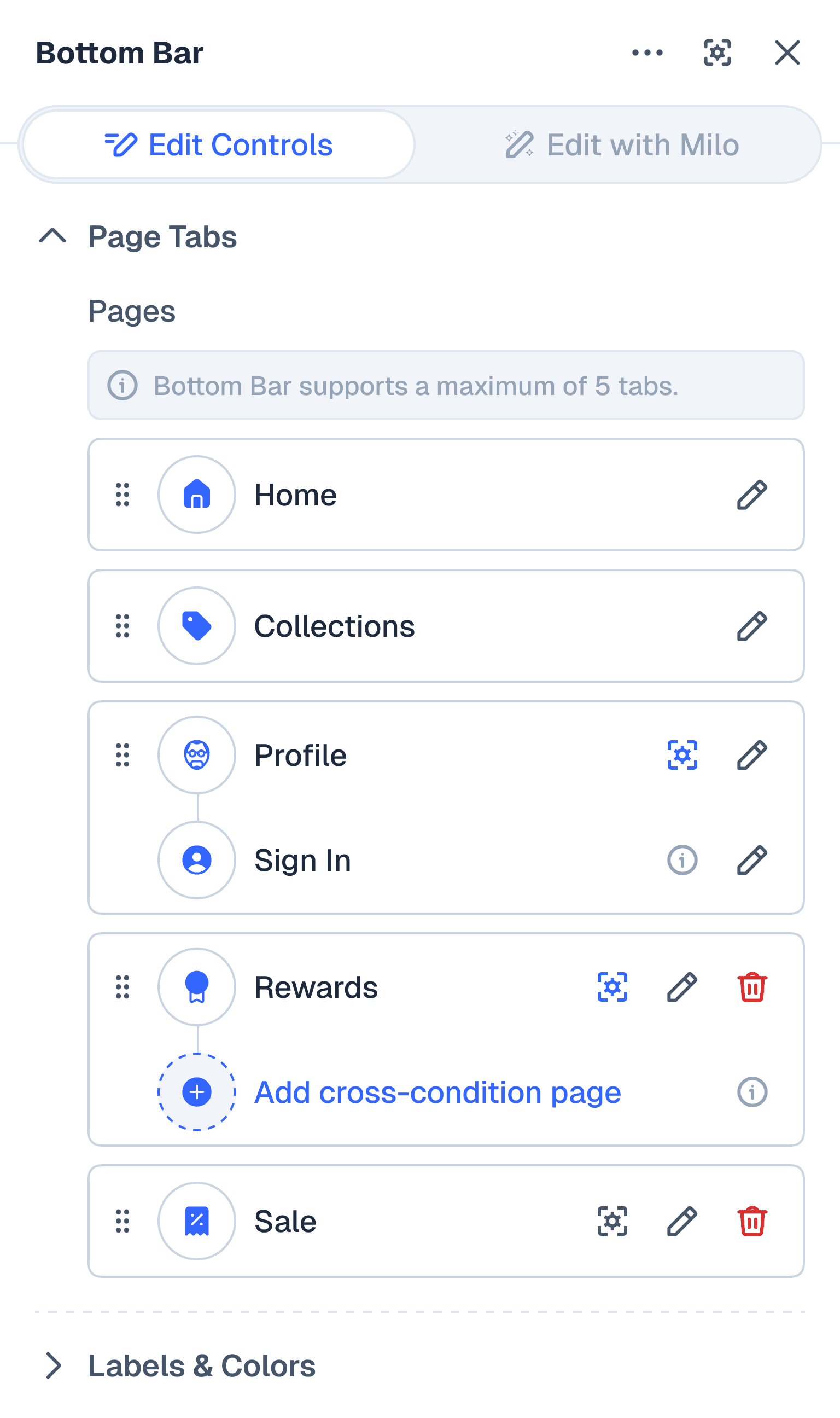
Rules can be applied to any block. That informed all the access points & statuses.
Phase-I
Add Block Modal
Design Panels
Bottom Nav Panel


Crafting the Interface
Rule Management
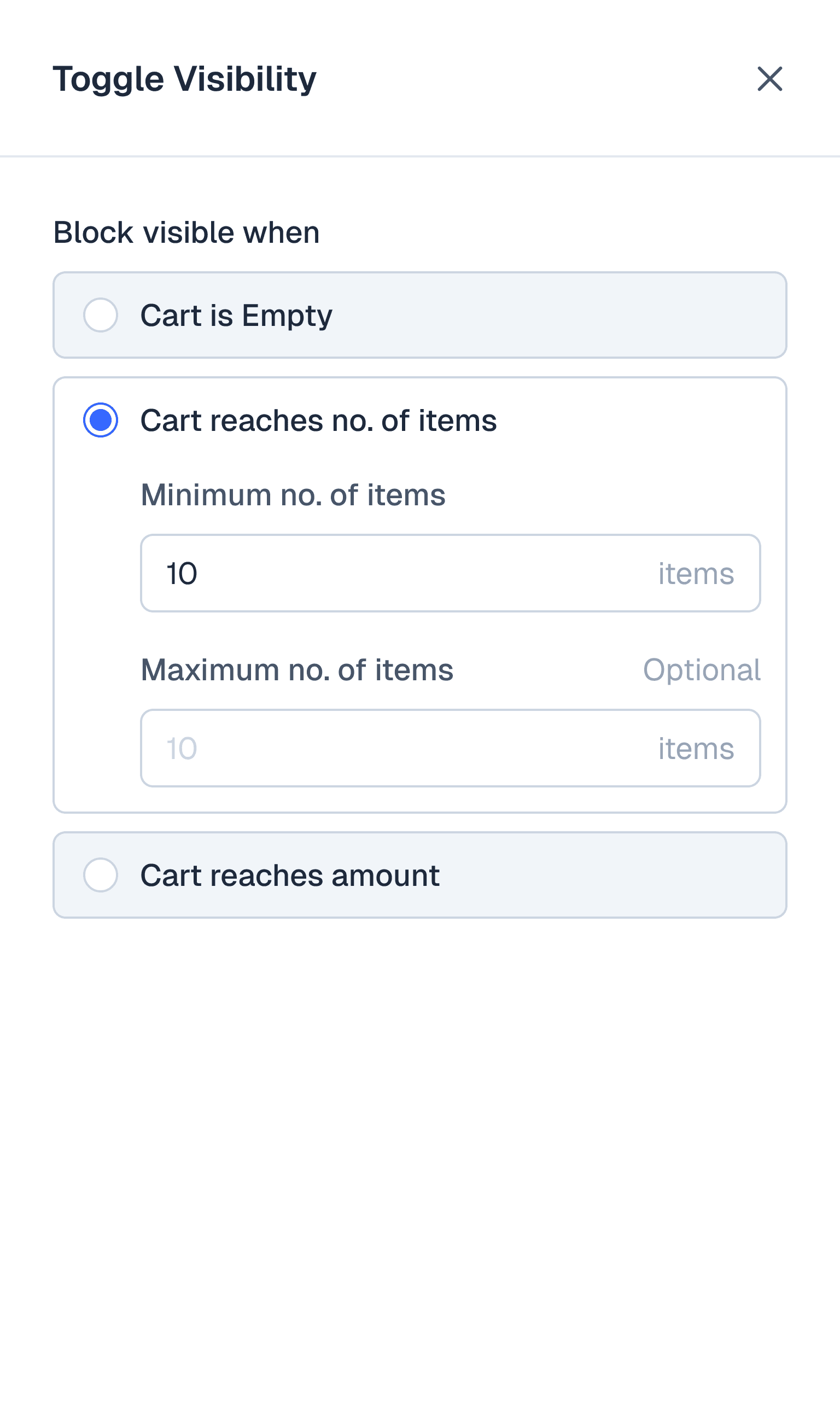
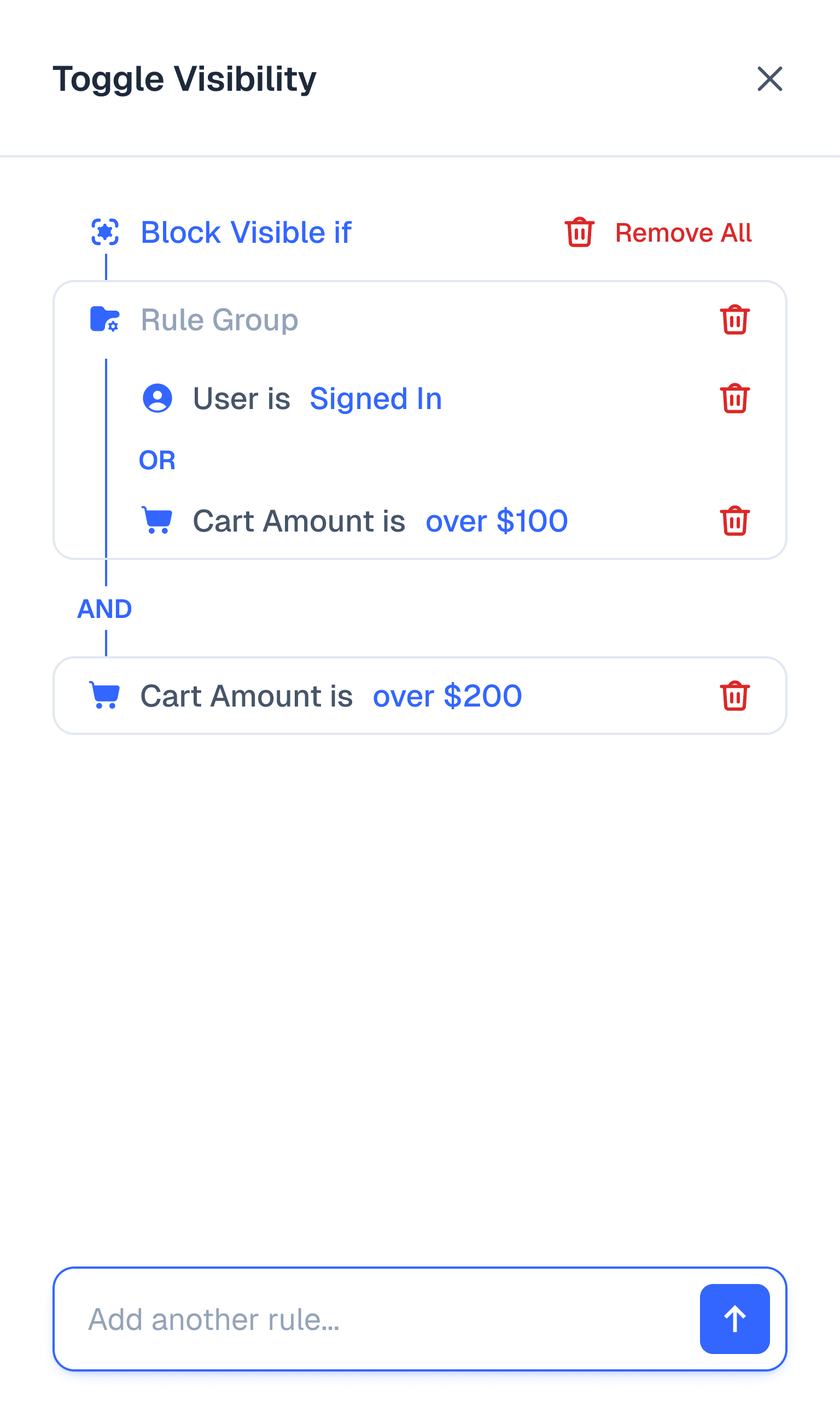
Visibility icon opens the modal for applying rules, for which I iterated towards the simplest mental model.
Phase-I
ITR-1
ITR-2
ITR-3
ITR-4
ITR-Shipped


Crafting the Interface
Rule Setup
All use cases collapse under 7 broad rules.
Phase-I
Schedule
Cart State
User State
Buying History
Shopify Tags
Countries
App Versions


Crafting the Interface
Preview States
Preview updates contextually on key pages only – Product, Cart, Account – where rules are most relevant.
Phase-I
Product Page
Cart Page
Account Page


Crafting the Interface
Rule Setup with AI
LLMs have removed the need for context on the UI. Users can now chat, evaluate & set rules in plain language for simple & complex rulesets.
Phase-I
ITR-1
ITR-2
ITR-3
ITR-4
ITR-Shipped


Crafting the Interface
Rule Management with AI
The best way to place the AI method is where it best accounts for main use cases.
Phase-II
ITR-Drafted
ITR-Shipped


the Aftermath
What Changed
Phase-I
Outcome
Workflow duration to personalise content went down from days to minutes.
Outcome
~95% of dev requests for personalisation dropped, saving time & money for all.
Outcome
Brands report better product discovery & higher revenue on sales campaigns
Outcome
More control for Brands, enabling more iterations & better decisions.
the Aftermath
What Changed
Phase-II
Outcome
Covered all known use cases, including complex rulesets for enterprise brands.
Outcome
Lowered learning curve for old users, while maintaining setup speed for new users.
the Aftermath
What to Improve Next
Up Next
Better visibility of access points to make it easier for new users without help.
Up Next
Integrate with content editing & enable content-based suggestions with AI.
Up Next
More dynamic preview to account for rules applied across the app.